
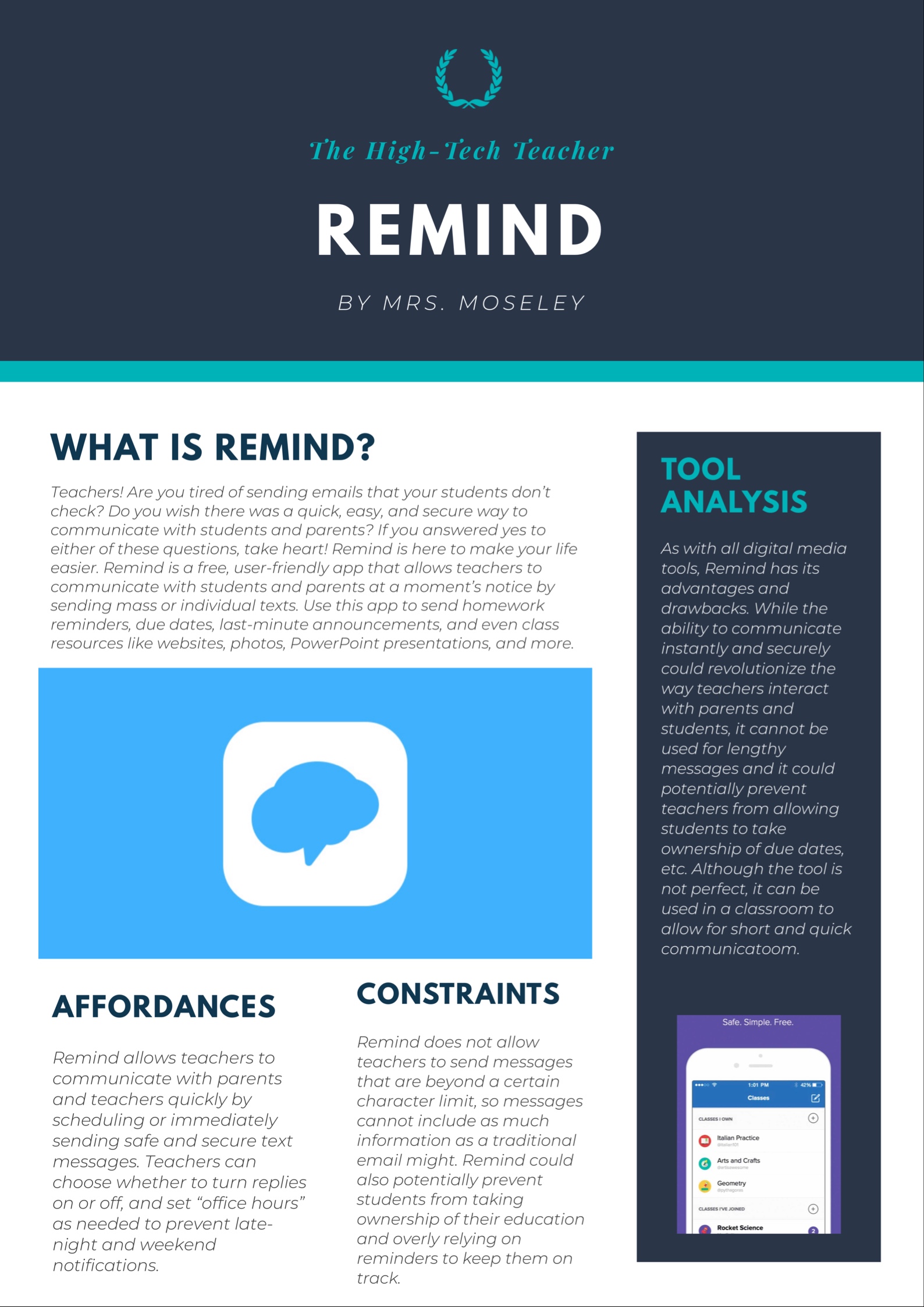
The flyer above was made on an app called Canva. I discovered Canva for the first time when I was working as an event planner at Catholic Charities Atlanta. I wanted to put together a quick, easy flyer for an upcoming event, but the extent of my flyer-making experience only included ones I made in middle school using Word Art. With that in mind, I went on the hunt for a free app that I could use to put together a nice, professional-looking flyer for this event – this is where Canva came in!
Canva is an app that can be used for graphic design. It comes with a huge variety of templates, so you can use it to make flyers or other graphics for Instagram, Facebook, Pinterest, and a number of other platforms. In a classroom, this app could easily be taken up by students anytime a graphic is needed. It’s free, easy to download, and it comes with a free tutorial to get students started.
One of the affordances of Canva is that it provides enough structure to prevent students from feeling overwhelmed while still allowing for a great deal of creativity and personalization. The Canva app has many available templates that students can pick from, and making graphics is relatively quick and easy. The process for saving the graphic is simple as well, and products could be turned in digitally or printed for submission.
The constraints of Canva are relatively few, but they’re still important to mention. First, students are only able to use Canva on their smartphones. Canva is not available for laptops or desktop computers, so I found that when I was making the flyer above, I would have preferred to be working with a bigger screen. Also, Canva doesn’t allow for autocorrect or spell check, so if the product that the student is working on involves a great deal of text, this could be a point of frustration. Lastly, if there are students who aren’t very savvy with technology or if they prefer making physical products, this might not be their favorite platform. This could easily be remedied by allowing students to choose whether they want to create a digital or physical product, though.
For the purposes of this post, I used Canva to analyze the affordances and constraints of Remind. I thought that this would be the best tool for the purpose of this project because it allowed me to use graphics, which was nice because I could include the Remind logo, and it also allowed me to visually separate the things I wanted to write about; I had a text block that gave an overview about Remind, another one that analyzed the affordances and constraints, and an overall opinion about Remind. The Canva template allowed me to organize my thoughts in a way that was visually appealing and grabbed the reader’s attention. I could see Canva being a great addition to any English Language Arts classroom. This tool could be used for so many things, but one of the first that comes to mind is to analyze the characters of a text. Students could create graphics that analyze the multiple facets of a character in a text such as their relationships to other characters, their actions throughout the text, important quotations spoken by that character, and more. They could also include pictures of the character and design it in a way that somehow reflects that particular character. This is just one idea, but honestly, I think the options are limitless! What I like most about the idea of using Canva is that it adds another way for students to express or organize their knowledge. Rather than giving students essay after essay, this could be a fun alternative for a formative or summative assessment.
Teachers, if you think about using this in your classrooms, you might want to keep the following in mind:
- As I mentioned you will need smartphones or iPads to use this technology in the classroom. Make sure you or your students have access to one of these.
- It takes a little bit of time to download the app and to figure out how to use it. Allow your students time to tinker with it before asking them to dive right into whichever project you are assigning.
- There is a free version and a paid version of this app; for my own classroom, I have found that the free app satisfies most of my purposes. I can’t see why anyone would need the paid version for basic classroom use, but be sure to discuss this with your students before they download the app.
If you decide to take this app up in your classroom, be sure to comment below and let me know what you’ll be using it for!
 The High-Tech Teacher