
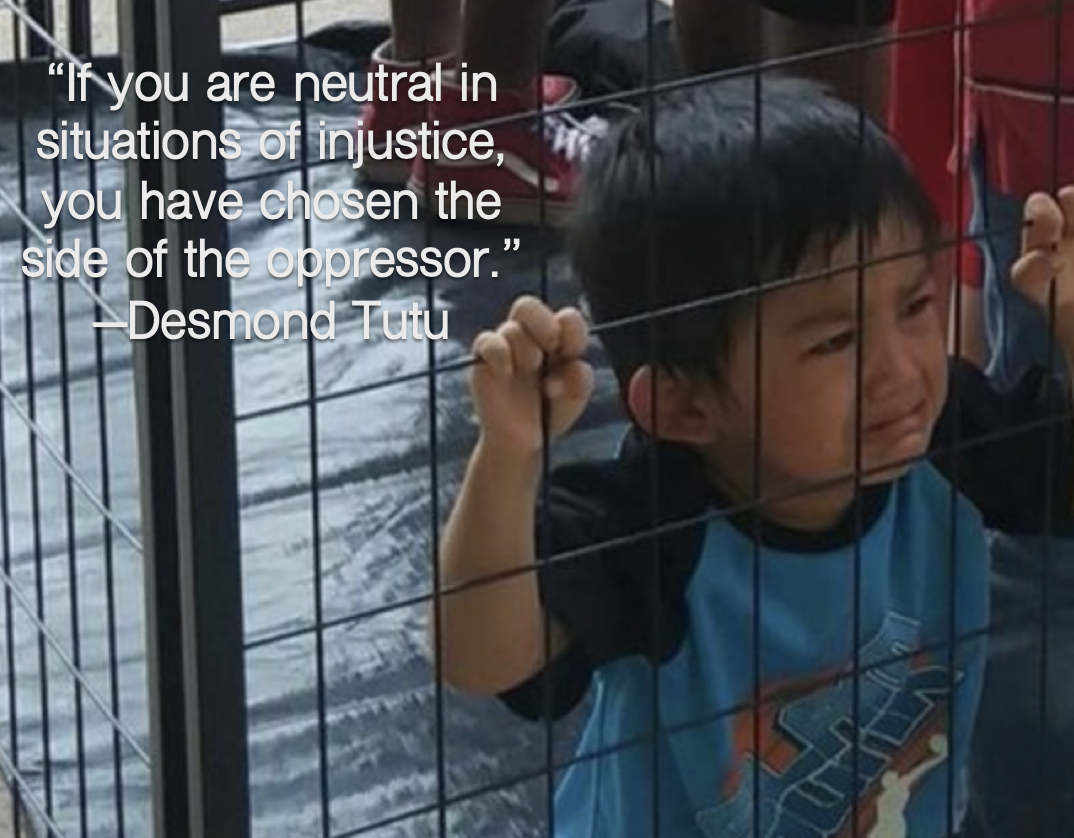
One of the topics that I am currently very passionate about is the immigration crisis facing our nation today. Undocumented immigrants have been called “animals” by our president and, as the photo above shows, they have also been treated as such. I decided to create a multimodal argument by combining the emotional photo of a child in a cage with a quote about the dangers of indifference. In today’s world, people are so desensitized to bad news. It seems like every time we turn the TV on, there’s another atrocity occurring. This can be exhausting and emotionally draining, so at some point, people tune out. I understand that this is a form of self-preservation, but at the same time, our indifference and failure to act has an impact on those who are being harmed and oppressed; when we don’t do anything, things stay the same, and that’s a problem.
Claim: The American people need to be proactive about finding a solution for the children involved in ur nation’s immigration crisis.
Evidence: There is a sad child in a cage.
Warrant: The indifference of American citizens to our nation’s immigration crisis is harming children.
To create this argument, I used PowerPoint. Although PowerPoint gets a bad rap in classrooms, it is a tool that can be easily used to to create multimodal arguments and texts. In the school district at which I will be working, every teacher and student has access to PowerPoint, so it’s easy to use and and all students have access. In addition, most students are familiar with the program, so very little direction is required. PowerPoint also makes it easy to create images by allowing the user to quickly convert their slide into a JPEG file. PowerPoint also allows for many different forms of media such as images, text, videos, soundbites, and more. While my argument above was only image and text, students could experiment with many other types of media when creating their own artifacts.
Although PowerPoint has many affordances, there are also certain constraints. First, if a school district doesn’t provide the Microsoft Office suite, students would have to pay to access PowerPoint from home. This would be a problem for students who come from a lower socioeconomic background. In addition, students have already used PowerPoint so many times, and having them use this platform makes it so that they aren’t learning about or experimenting with new types of technologies. PowerPoint is also rather basic, and students might not be able to make their products as eye-catching as they might with another program such as Photoshop or Canva.
If teachers were to use PowerPoint to create multimedia arguments with their students, I would recommend the following:
- Make sure that students have access to PowerPoint at home; if not, you’ll want to make sure you book a computer lab or a laptop cart so that students can complete the work in class
- If using media other than image and text, it might be helpful to provide students with a brief tutorial of how to embed it. While students are familiar with the basics of Microsoft Office, they might not be proficient with features that they have not used.
I love the idea of using PowerPoint in unconventional ways. If you have used this tool in your own classroom in other ways, I’d love to hear about it. Drop a comment below!
 The High-Tech Teacher